
Relax, everything is under Ctrl with HiArc


Introducing HiArc Ctrl
HiArc Ctrl is a ready-to-use system, allowing HiArc clients the ability to accelerate their medical technology, from initial concept through commercialization. The Ctrl system is comprised of LaunchBase, HiArc's Printed Circuit Board Assembly (PCBA), and LaunchCode, HiArc’s proprietary, premium Software Development Kit (SDK). This system allows users to interface with sensors and actuators in real time, significantly shortening the time and resources typically required in development.
HiArc Ctrl integrates seamlessly into engineering labs or manufacturing environments and provides version-controlled, documented workflows suitable for regulated products.
.png)
Learn more
A team member will be in touch shortly.
Thank you, we'll be in touch soon
Stepper Motors
The board has 6 stepper motor drivers, with and without feedback, for handling multiple motion control scenarios for your device.
Interconnection Interface
The interconnect interface can be used as consolidated connections for stepper motors with feedback mechanisms and limits, minimizing cable design.
Reset
The reset button is a standard feature on all boards.
Opto-Sensor Input
The board provides a large number of optical sensor inputs, which are typically used for limit switches and general opto-sensors.
FAN Driver
Brush DC Driver
Brushless DC Driver
The board has motor drivers that can operate a 3 phase BLDC motor with or without the use of feedback sensors.
Encoder Inputs
The board provides connections for several individual encoder inputs, with selectable feedback modes.
Analog Input
Besides the digital inputs, the board also provides multiple digitally controlled analog input channels to interface with a variety of sensors.
Pulsed Width Modulation (PWM) Driver
The board comes with multiple PWM channels for working with a variety of actuators and third-party controllers.
Power In
This is the nominal power connector for the board.
Power Out
The board has provision to supply power out of the board in cases where an external device needs power.
Protection
The board offers three types of protection - Service, Interlock and Safety.
External Communications
The board offers multiple types of external communications, including various serial communication methods such as RS485.
Ethernet
The board has an RJ45 connector for ethernet communications.
Microcontroller
The microcontroller is the brains of the board and comes pre-installed and programmed to be used in your embedded system design.
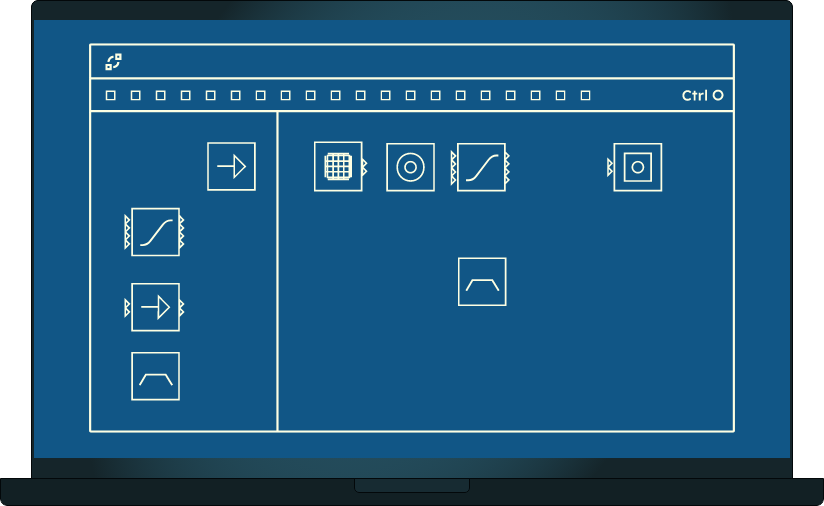
Predefined Components
Choose from a wide variety of predefined components to launch your design from the very beginning.
Designer Window
Page Dropdown
Multi-page designs allow you to expand from a simple single page design to a complex motion control system utilizing multiple design pages.
Menus
Interact with the designer using a standard menu interface. Load a previous project, or start with a template to accelerate your design.
Looking for full-service concept to commercialization development help?
See your boldest ideas take shape. Working side-by-side with your team, we apply intelligent, scalable design practices to translate your vision into manufacturable, regulatory-ready solutions - while ensuring your IP stays with you.
.jpg?width=360&name=HiArc-robotics-expertise%20(1).jpg)