Less Risk. More Progress.

Start from a proven foundation

Introducing LaunchCode
LaunchCode is purpose-built software ideal for instrument technology development, designed from the ground up to deliver precision, accuracy, and control in even the most regulated industries. The unique software framework is comprised of a collection of applications, tools, and libraries, enabling ease-of-use with both out-of-the-box functionality with pre-built components, or the option to generate custom-coded components.

Learn more
A team member will be in touch shortly.
Thank you, we'll be in touch soon
Predefined Components
Choose from a wide variety of predefined components to launch your design from the very beginning.
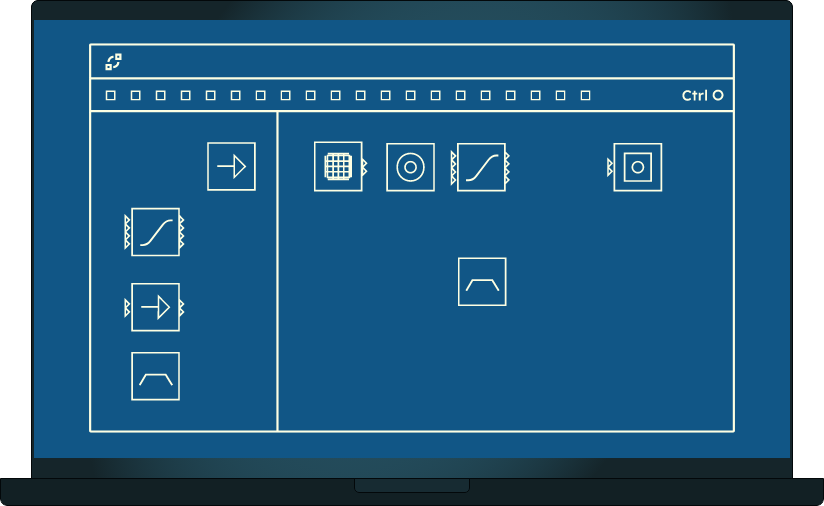
Designer Window
Page Dropdown
Multi-page designs allow you to expand from a simple single page design to a complex motion control system utilizing multiple design pages.
Menus
Interact with the designer using a standard menu interface. Load a previous project, or start with a template to accelerate your design.

LaunchCode Designer
LaunchCode’s Designer application was built around a graphical, visual-first development experience to match how engineers think, design, and troubleshoot complex device systems. The intuitive interface features drag-and-drop functionality accelerates onboarding and makes powerful development accessible to teams of any size.
Once design is ready to test, the Designer application generates code that uses LaunchCode Libraries to run on your hardware. These Libraries cover the full software stack, from low-level hardware drivers and real-time logic components to high level asynchronous command-response-event services.
Built-in components include:
- Digital & analog I/O
- PID components
- Motion control
- Environmental sensors
- Signal processing
- Liquid handling
- Variety of motor types
The LaunchCode Framework has also been architected to easily support custom components.
LaunchCode Diagnostics

LaunchCode Designer
LaunchCode’s Designer application was built around a graphical, visual-first development experience to match how engineers think, design, and troubleshoot complex med device systems. The intuitive interface features drag-and-drop functionality accelerates onboarding and makes powerful development accessible to teams of any size.
Once design is ready to test, the Designer application generates code that uses LaunchCode Libraries to run on your hardware. These Libraries cover the full software stack, from low-level hardware drivers and real-time logic components to high level asynchronous command-response-event services.
Built-in components include:
- Digital & Analog I/O
- PID components
- Motion Control
- Environmental sensors
- Signal Processing
- Liquid Handling
- Variety of Motor types
The LaunchCode Framework has also been architected to easily support custom components.

LaunchCode Diagnostics
LaunchCode’s Diagnostics application makes controlling your system simple. Once your design is complete, connect to your hardware and control it using the Diagnostics graphical application to quickly and easily test and iterate on the design and configuration.
.jpg?width=360&name=HiArc-robotics-expertise%20(1).jpg)